Recently in Shop Stuff Category

The machine is now back at home. Since the spinsaw is so screaming loud, the machine has been relegated to the garage. The garage is not insulated. I live in Winnipeg. Normally, in the evening in January the temperature outside is -20C or colder. (-30C is very common - although maybe not this year). So I slapped together a simple man-cave. I insulated the walls and ceiling of an 8'x8' space and draped a tarp and some plastic to complete the cave walls.

Man cave

Since version 2.0, we have beefed up the Z-Axis some more.

Tool mount

The router/spinsaw mount was upgraded to make it stronger and adjustable (tilt angle). The bottom bolts are solid to the axis, there is a grove cut from the plywood to allow the board to flex, and powerful springs push the board out against the aluminum strip and are compressed back to the right angle by the bolts. The board had a hole cut out to fit the saw, complete with groves to line up with the tabs. A slit was cut in the board and threaded rod compresses the board against the saw to prevent slipping.

2A 200 step stepper motor

The stepper was replaced with a 2A unit (being driven at about 0.6-0.7A from 12V at the moment).

Pololu A4988 bus-board
The driver has been replaced with a Pololu A4988 on a custom bus-board. I added a small feature to the board. Between the A4988 and the 4pin stepper header is a 2 pin header. This is in series with one of the motor lines and breaks the circuit. Under normal operation, a 0.1" jumper closes this circuit and all is good. During setup, a small harness is connected instead that allows me to connect my 10A multimeter in series to precisely measure the current of the stepper. This is done at rest, with no inputs running. The unit is adjusted to about 0.6A or a little less. A note about initial setup - turn the pot full counter-clockwise before starting. I had it in the middle, and the current draw was so high it tripped the safety in the PC power supply and would shut down immediately upon powering up.

Here are the Eagle files - including a custom library for the Pololu driver:3 Channel Polulu motherboard.zip

Chokes 1Chokes 2Chokes 3

A whole bunch of chokes have been added to data lines because the electrical noise of the spinsaw rivals the acoustic noise! These have effectively eliminated the electrical noise and random stepping of the Z-axis. A better design for the breakout board was found on the CNC Build Log. It calls for an R/C filter and a logic trigger to filter out the noise. That might be in the works for a new and better breakout board. Feel free to modify the above Eagle files as appropriate.

Table leveling

The results are starting to look very promising! This is a job that mills a flat square space for working on. Eventually I plan on running it across the entire 24"x24" table. But from the burn marks, it looks like I will first have to purchase a better end-mill.

You can have the g-code that runs on EMC software. level-table.ngc By downloading this file, you assume full responsibility for whatever happens to you, your machine, and anything else you do in life.

Enjoy!

Repairing Yorkville Amplifiers

| | Comments (0)
A friend recently lent me a bass and amp on the condition I look at why the input jack crackles, pops and sometimes does nothing.
York Amp cover
Turns out the solder joints on the 1/4" inputs had cracked and the connectors where loose.
Cracked solder joints
It seems this is a common problem among Yorkville amps, as I have now just finished repairing a two more Yorkville amplifiers for this friend. These last two where a slightly different model, but the symptoms and problem were the same. Crackling, popping, dying inputs with fine cracks on the solder joints.

An hour of labour to disassemble, resolder, reassemble and test. Wish most fixes where this straight forward.

CNC - Version 2.0 Complete

| | Comments (0)
CNC Version 2.0
Version 2.0 is complete. Major enhancements from version 1.0 are a new, bigger, stronger bridge and y-axis. These enable a larger more powerful spin saw to be used rather than a mini rotary tool.

CNC Version 2.0 Electronics

The electronics are also a slight upgrade - home made stepper drivers using PIC16F716 chips drive the X and Y axis (Z is still driven by a driver from Sparkfun). The power supply for all 3 steppers is 12V from a PC power supply. A 24V 14A power supply is on its way for the next upgrade.

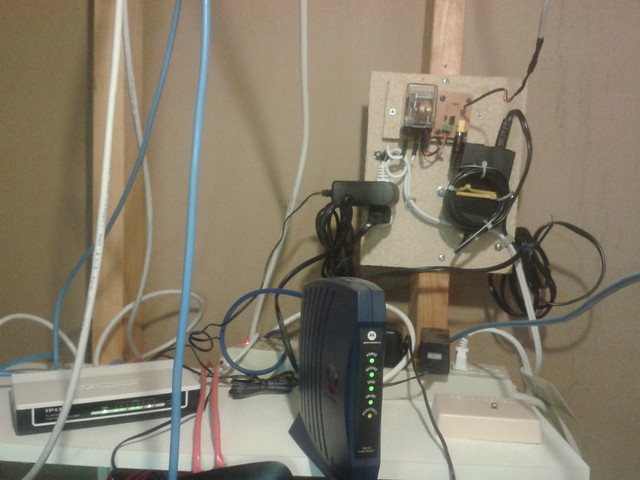
Spindle Power Prototype

Other upgrades in the works are homing switches and remote power for the spindle / spin saw / tool.

The CNC requires a bunch of aligning and also a better table / sacrifice board to make it cut square, but over all I'm impressed. Here's a clip of it running (taken by my friend who is responsible for all the good looking wood work - the hack jobs are mine).